I Tested the Cult-Favorite Alarm Clock That Fixes Your Sleep—Here Are My Honest Thoughts

All products and services featured are independently chosen by editors. However, StyleCaster may receive a commission on orders placed through its retail links, and the retailer may receive certain auditable data for accounting purposes.
If you’re anything like me and your FYP is filled with fitness influencers who take magnesium supplements and wellness girlies who give recommendations on the best pilates classes, chances are, you’ve seen this same crowd rave about the Hatch sunrise alarm clock . (Oh, to have my life together like these ladies do.)
From my recent online escapades, everyone who had this alarm clock swore it changed their sleep habits for the better, turned them into morning people, or improved their overall quality of sleep; it seems like it’s been a net positive for everyone across the board.


What’s the Hatch Restore 3?
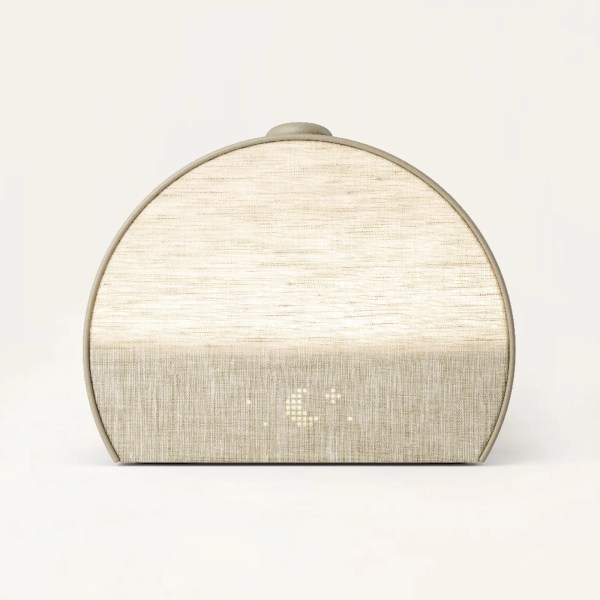
If you prefer background noise while you sleep, the Restore 3 can also do that. Through the free Hatch app, you can customize all of these features, including the light’s brightness, the sound’s volume and duration, and the start times (and days) of each.
Hatch Restore 2 vs. Hatch Restore 3
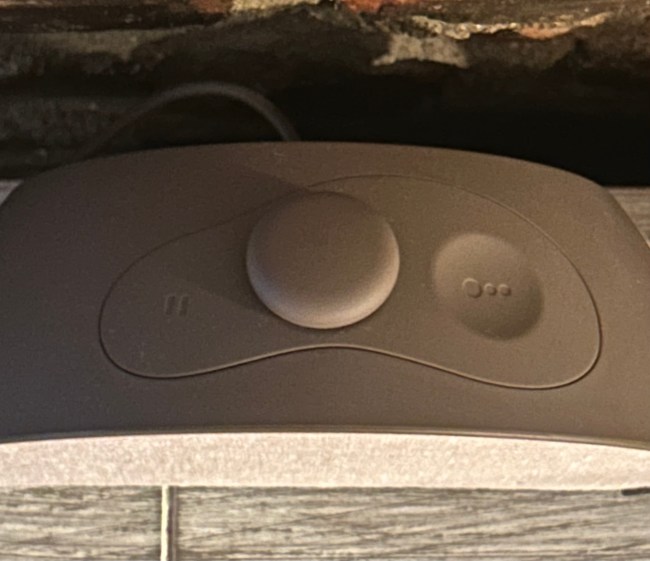
While the Restore 2 was only available in one color called Putty (a light grey), the Restore 3 also comes in two other shades–Greige (a darker grey) and Cocoa (a light brown). The Restore 3 is also more conducive to a phone-free experience, with more physical controls to ensure you won’t have to go through the app to turn the alarms and cues on and off.
Is the Hatch Restore Worth It?
At first, I was skeptical of the Hatch because too many things are gimmicky these days, and this seemed like it could easily be one of those. But the good news is there is actual science behind the way the Restore 3 can improve the quality of your sleep. The Restore 3 is all about encouraging you to stay off your phone before going to bed, meaning you’ll inevitably reduce your exposure to artificial light from your phone, which can affect your body’s natural circadian rhythm.
What You Get From the Hatch+ Subscription
There is one catch with this alarm clock–to enjoy all the offerings from the Hatch sound and light library, you will need a Hatch+ subscription. With the purchase of any Restore 3, you can access this for free for a one month trial. After the trial is over, you can continue the subscription for $5 per month or $50 for a year.
In addition to having full access to the dozens of noise and light features, Hatch+ lets you set a “cue to unwind,” a sound that plays at the beginning of your nightly routine. You can choose from dozens of different cues, and when it goes off every night, you will have to press the main button to begin the rest of your routine.
With Hatch+, your nightly routine can consist of everything from calming meditations, true crime podcasts, jazz music sequences, and more. You can also set different routines for different nights if you want to switch it up throughout the week.
My Honest Review of the Hatch Restore 3
I was initially drawn to the Restore 3 because I wanted to kick my habit of scrolling endlessly at night. From the initial reviews I had seen, this alarm clock seemed to really help people with that.
When I first set up my Restore 3 and downloaded the app, I was prompted to take a quiz that asked about my sleeping habits and what I hoped to get out of the alarm clock. Based on my results, I was recommended a set of “routines” for unwinding. Since I had indicated in the quiz that I wanted to scroll less, the app suggested a series of nighttime sounds including a podcast called “i’ll scroll 4 u,” which featured a narrator who literally scrolled on their FYP and talked about it. So fun.
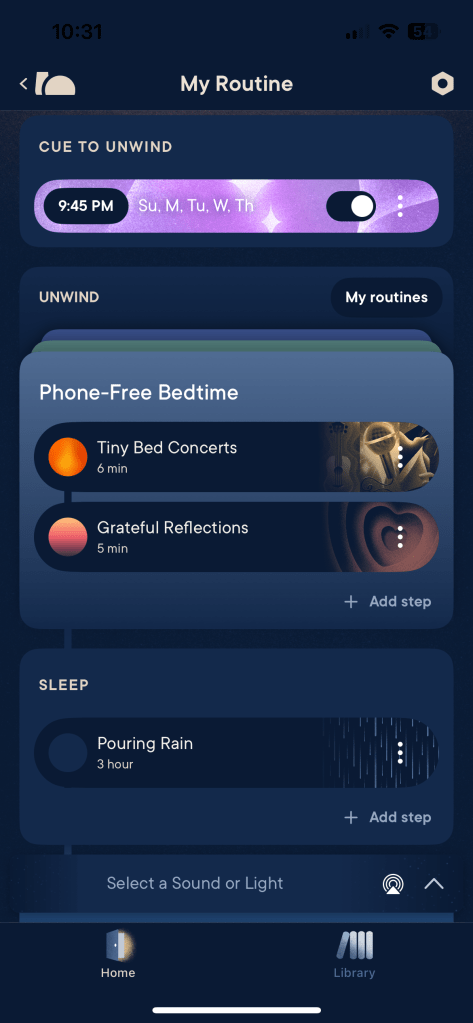
I also added my own unwind and bedtime noises and alarms. My workweek routine ended up looking like this:
- Wake up at 6:30 a.m.: Bird Sanctuary Alarm with Peony Sunrise (Volume 80%, Brightness 75%, Sunrise Duration 30 minutes.)
- Cue to Unwind at 9:45 p.m.: Jaida’s Cue
- Unwind Session (shortly after pressing the start button): Tiny Bed Concerts (6 min) followed by Grateful Reflections (5 min)
- Sleep Noise: Pouring Rain (first 3 hours of sleep)
After just the first few nights of using the Restore 3, I noticed I was able to wake up at 6:30 am everyday (without snoozing!) I was actually very shocked at how well this alarm was working.
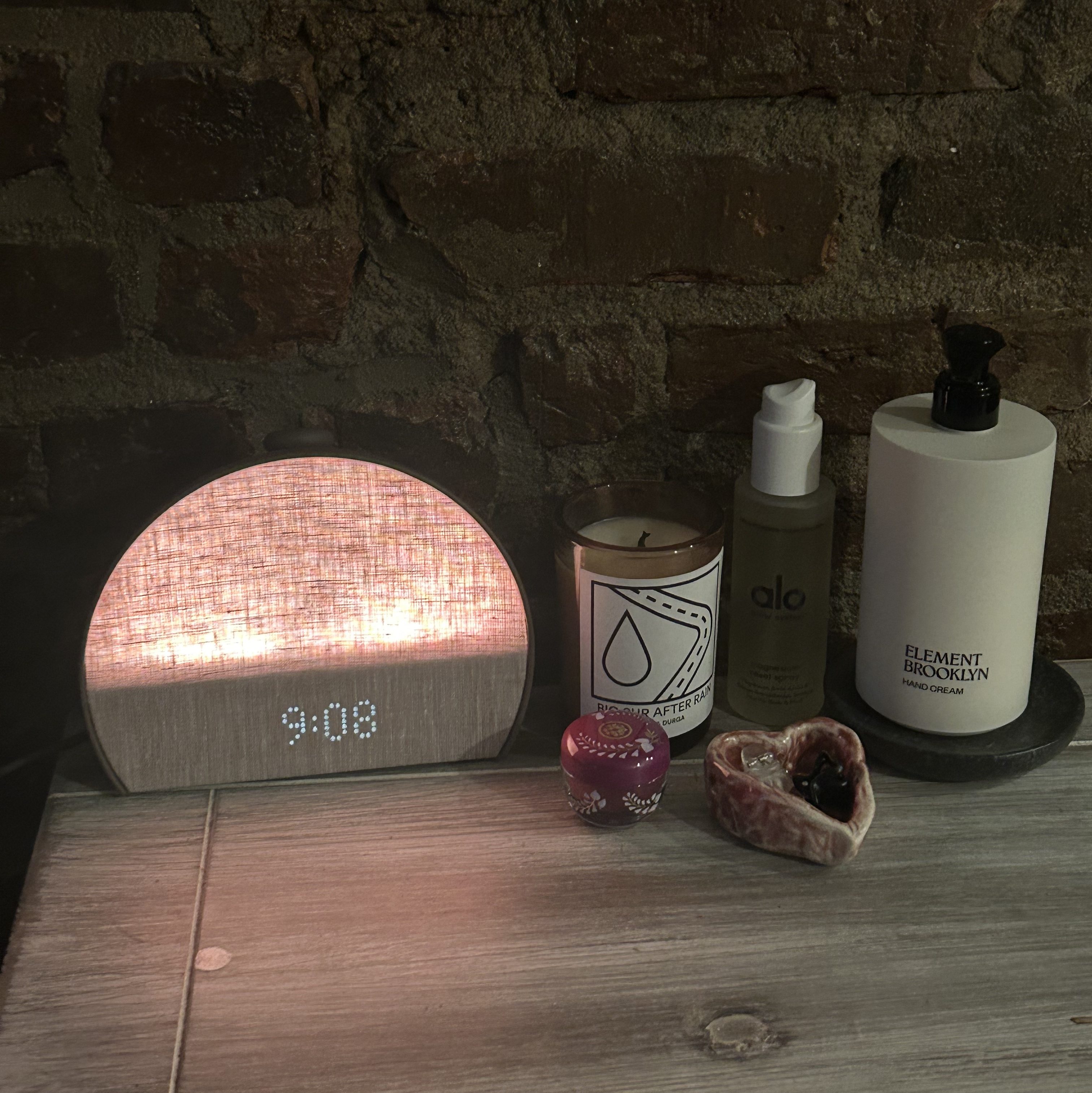
Every morning I have a peaceful wake up. It’s so easy to get right out of bed with this alarm because it feels like the sun is already shining in my face. This is a huge upgrade for me because my apartment barely gets any natural light, which was making it really hard for me to wake up early. I would highly recommend this to anyone who doesn’t get a lot of natural light in their bedrooms. You’ll be shocked at how this will change your mornings.
However, this alarm clock will only work if you do your part–stick to the unwind cue and go to sleep shortly after if you hope to wake up early the next day. There have been nights when I’ve ignored the cue to unwind and ended up going to sleep hours after I was supposed to, leaving me with 5-ish hours of sleep when I usually allot for 7 to 8. Sadly, the Hatch doesn’t have magic powers and won’t cure you of a tired, groggy morning if you don’t get enough sleep.
Hatch 3 Pros & Cons
Pros
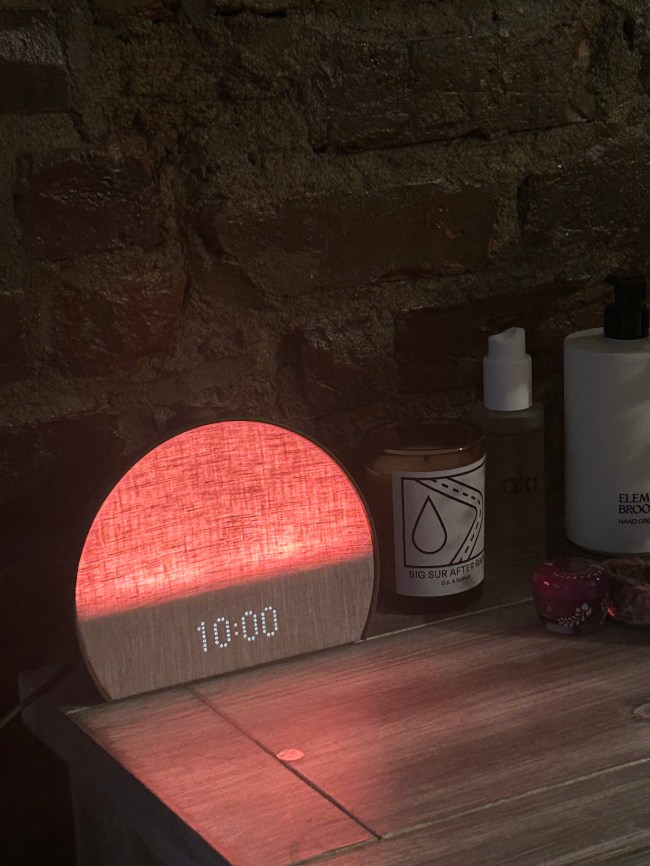
- Sleek Design. The Restore 3 is aesthetic and looks nice on any nightstand. The three colorways are neutral enough to look good against any furniture.
- Phone-Free Experience. While there is an option to control your routine from the Hatch app, pressing the alarm’s main button also acts as a start and stop button, allowing a phone-free nighttime experience.
- Customizable Light and Volume Features. Whether you need a loud alarm or a bright light, you can adjust those features to match your preferences.
- Helps With Going to Bed Earlier. The “cue to unwind” is helpful in knowing when it is time to start getting ready for bed. Those who struggle with losing track of time at night will likely find this cue very beneficial.
Cons
- Monthly Hatch+ Subscription Fee. To experience the full offerings of noises and light features, you have to pay a $5 monthly fee for the Hatch+ subscription.
- Not Wireless. The Restore 3 needs to be plugged into an outlet at all times. The cord is about four feet long so that may limit the places you can put it.